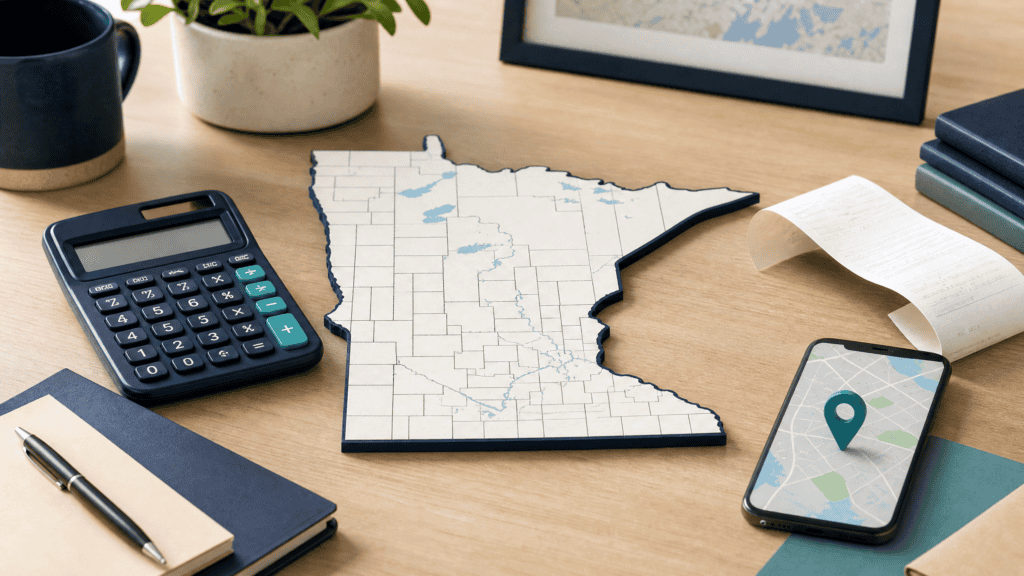
A Minnesota sales tax calculator can help estimate the general state and local sales tax rate for a purchase. The result depends on the location, the transaction date and the type of item or service. A five-digit ZIP code or a broad state rate may not be precise enough for an invoice.
The Minnesota Department of Revenue says its rate calculator can search by address, nine-digit ZIP code or interactive map. It also warns that the result does not include special local taxes such as admissions, entertainment, liquor, lodging and restaurant taxes.[1]
Minnesota’s sales and use tax page says sales tax applies to most retail sales of goods and some services. Use tax may apply when taxable goods or services are used in Minnesota without sales tax paid at purchase.[2]
This guide explains how to estimate the general rate, how to check the address and when a separate tax review is needed. It is general education, not a tax decision for a particular transaction.
Table of Contents
ToggleHow Minnesota Sales Tax Is Calculated
The basic formula is:
Minnesota sales tax = Taxable purchase price x Combined applicable rate
The combined rate may contain:
- The Minnesota state sales-tax component.
- County tax.
- City tax.
- Other local general sales taxes.
- A special tax when the transaction falls into a separate category.
Basic example
Suppose the taxable price is $200 and the confirmed general combined rate is 8.375 percent:
$200 x 0.08375 = $16.75 sales tax
The estimated total is $216.75 before other charges, discounts or fees.
Start with the taxable price
The calculator needs the price that is subject to tax. Discounts, exempt items, shipping, services and bundled charges can change the taxable base. The rate alone cannot decide whether a purchase is taxable.
State rate versus combined rate
The Minnesota state component is only one part of the amount a customer may see. Local taxes can vary by city, county and other authorized area. Enter the location instead of applying one statewide number to every order.
Rounding
A calculation can produce a fraction of a cent. The receipt or point-of-sale system applies its permitted rounding method. For a disputed receipt, compare the taxable price, rate, line items and rounding method rather than comparing only the final total.
Minnesota State and Local Rate Components
Minnesota’s general rate calculator is designed to find the state and local general rate for a Minnesota location.[1]
| Component | What it means |
|---|---|
| State rate | Minnesota’s broad state sales-tax layer |
| County rate | A local component that can vary by county |
| City rate | A local component that can apply inside a city boundary |
| Other local rate | Another general local component shown by the lookup |
| Special local tax | A separate tax that may not appear in the general result |
| Effective period | The date range for the selected rate |
County and city boundaries
A ZIP code can cross a city or county boundary. A rate selected from a neighboring location may be wrong even when the ZIP appears similar. Use the full address or the map when the result matters.
Effective periods
Minnesota says changes to sales and use tax rates are published about 30 days before they begin.[1] A calculation should record the effective period or transaction date so the rate can be reviewed later.
General rate versus special rate
The general calculator does not include every possible local tax. The state specifically lists admissions, entertainment, liquor, lodging and restaurant taxes among the special local taxes that may not be included.[1]
Rate is not taxability
The same location can have different treatment for ordinary goods, a restaurant charge, lodging, liquor or admission. Confirm the item category before quoting a final amount.
How to Find the Rate by Address or ZIP Code
Use the Minnesota Department of Revenue calculator or rate map for the most precise general result.
- Identify the transaction address.
- Confirm the state is Minnesota.
- Enter the full street address when possible.
- If using a ZIP, use the full nine-digit ZIP code.
- Check the returned city and county.
- Review the effective period.
- Enter the taxable dollar amount if the tool offers a calculation.
- Save or print the result with the transaction record.
Address search
The address option is usually the best starting point for a customer delivery or business location. Confirm that the returned address matches the intended property.
Nine-digit ZIP search
Minnesota warns that a nine-digit ZIP can still cross city or county boundaries and may not return an accurate result in those cases.[1] If the result looks wrong or the address is near a boundary, use the map.
Map search
The Minnesota Sales Tax Rate Map can show general state, county, city and other local components for a selected location. It also warns that special local taxes are not included in the general result.[3]
Current location and address records
A retailer that sells to many Minnesota addresses should store the destination, rate, effective period and lookup source. Do not copy a rate from one customer to another without checking the new location.
Special Local Taxes and Use Tax
A general Minnesota sales-tax result may not answer every tax question.
Special local taxes
The Department’s calculator says it does not include special local taxes for admissions, entertainment, liquor, lodging and restaurant transactions.[1] A seller handling these categories needs the relevant state and local guidance.
Use tax
Minnesota says use tax may apply to taxable goods and services used in Minnesota when no sales tax was paid at purchase.[2]
For example, a Minnesota buyer may order taxable equipment from an out-of-state seller that does not charge Minnesota tax. The buyer should review whether Minnesota use tax applies rather than treating the purchase as permanently tax-free.
Sales tax and use tax are not duplicate charges by default
If a Minnesota retailer already charged the appropriate sales tax, the same purchase is not normally an untaxed purchase requiring a second payment. Keep the invoice and tax record so the treatment can be shown.
Remote purchases
Online purchases can require a destination and taxability review. The buyer’s address, seller’s collection status, item category and current state rules all matter.
Special source review
When a transaction involves liquor, lodging, admissions, food service or entertainment, use the relevant Minnesota publication or local notice instead of relying only on the general rate calculator.
Minnesota Vehicle Tax Is a Separate Calculation
A standard Minnesota sales-tax calculator should not promise to calculate every vehicle charge.
Minnesota Driver and Vehicle Services says motor-vehicle sales tax is due on most vehicle purchases or acquisitions. It describes a 6.875 percent standard rate based on the total purchase price, along with in-lieu rates, trade-in reductions and exemptions.[4]
The vehicle page also says local sales tax does not apply to vehicle sales in the ordinary way, although a local vehicle excise tax may apply. That is different from an ordinary goods-and-services rate lookup.
Why the vehicle page is separate
Vehicle tax can involve title transfer, fair-market value, trade-in allowance, in-lieu tax, registration and vehicle-specific exemptions. A general address calculator is not enough.
Use the vehicle workflow
For a car, trailer or other titled unit:
- Identify the vehicle type.
- Confirm the purchase or acquisition price.
- Check trade-in, gift or exemption facts.
- Review the vehicle tax rate and in-lieu rules.
- Follow the title and registration instructions.
- Keep the purchase agreement and supporting records.
Do not use the ordinary rate for a vehicle automatically
A vehicle transaction can have its own state rate and local excise treatment. Link to the dedicated vehicle guide or Minnesota Driver and Vehicle Services source.
Common Questions About Minnesota Sales Tax
What is the Minnesota sales tax rate?
The rate on a transaction can include the state rate and local components. Use the Minnesota Department of Revenue address or map calculator for the location-specific general rate.[1]
How do I calculate Minnesota sales tax?
Multiply the taxable price by the confirmed combined rate, then apply the permitted rounding method.
Can I use my ZIP code to find the rate?
You can search by a nine-digit ZIP code, but Minnesota warns that ZIP boundaries can cross city or county lines. Use an address or map when accuracy matters.[1]
Does the Minnesota calculator include restaurant tax?
The general rate calculator does not include special local taxes such as restaurant, lodging, liquor, admissions or entertainment taxes.[1]
What is Minnesota use tax?
Use tax may apply to taxable goods or services used in Minnesota when sales tax was not paid at purchase.[2]
Does an online purchase use the seller’s address?
The correct sourcing rule depends on the transaction and state guidance. For a delivered purchase, review the destination and the seller’s collection status.
Does the general calculator calculate vehicle sales tax?
No. Vehicle sales tax and in-lieu rules require a separate vehicle-specific review. Minnesota provides vehicle guidance through Driver and Vehicle Services.[4]
Why did my rate change?
Local taxes can change during an effective period. Minnesota says rate changes are published about 30 days before they begin.[1]
Does the calculator include every local tax?
No. It finds the general state and local rate but excludes certain special local taxes.
Can a sales tax calculator decide whether my item is taxable?
No. It performs the arithmetic after the user identifies the taxable price and applicable category. The state taxability rule controls.
A Minnesota sales tax calculator is most reliable when it uses the full address, shows the state and local components, records the effective period and explains what the general result excludes. Check special local taxes, use tax and vehicle rules separately before treating an estimate as final.
Internal links for publishing
| Suggested anchor | Destination |
|---|---|
| sales tax rates by state | https://reversesalestax.com/sales-tax-rates/ |
| state versus local sales tax | https://reversesalestax.com/state-vs-local-sales-tax/ |
| car sales tax calculator | https://reversesalestax.com/car-sales-tax-calculator/ |
| online sales tax economic nexus | https://reversesalestax.com/online-sales-tax-economic-nexus/ |
| reverse sales tax calculator | https://reversesalestax.com/ |
Writer and publisher QA
| Check | Status |
|---|---|
| One H1 only | Pass: 1 H1 measured |
| H2 count below 10 | Pass: 6 H2 headings measured |
| H3 to H6 hierarchy | Pass: 30 H3 headings measured |
| Article word count | Pass: 2,326 words measured by dedicated QA script |
| SEO title length | Pass: 52 characters |
| Meta description length | Pass: 110 characters |
| Minnesota ownership | State-specific calculator intent belongs to this page |
| Address and ZIP limits | Explicitly explained |
| Special local taxes | Separate section and source included |
| Use-tax distinction | Included with official source |
| Vehicle separation | Dedicated vehicle guidance linked |
| Rate freshness | Verify current source before publication |
| Forbidden words and symbols | Pass: 0 saved-rule word hits and 0 forbidden-symbol hits |
| Feature image | Pass: 1 Markdown image reference, original 2560×1440 PNG |
| Similarity review | Four official-source fetches checked; this is not a universal plagiarism guarantee |
| Responsive review | Test after WordPress publication |
Sources
Source links used for this article are listed below. Rules and rates can change, so check the relevant official guidance for current details.